MYP teachers write 50 to 125 report comments per term. At 5 to 15 minutes each, that's 4 to 20 hours of writing, per subject, per reporting period, before grading, planning, or anything else. And that number doesn't account for the criterion-level feedback you write after every assessment, every unit, every submission.
The hours aren't the only problem. MYP feedback has a specificity requirement that generic AI tools simply can't meet. Strand-level feedback means knowing what a student actually wrote, not just the score you assigned them. Two students who both score 5 on Criterion A need different comments. Most AI tools give them identical ones.
💡 Key Takeaways
- MYP teachers spend 4-20 hours per term writing report comments alone, before assessment feedback is counted.
- Effective MYP feedback must address individual strands, not just criterion totals.
- PrepAiro reads the student's actual PDF submission and extracts direct quotes to justify strand scores.
- Report Season tab generates comments for an entire class simultaneously, converting a writing sprint into a review queue.
- Scores confirmed in the Assessment tab flow automatically into Report Season, eliminating double entry.
Why Is MYP Feedback Harder Than Other Feedback?
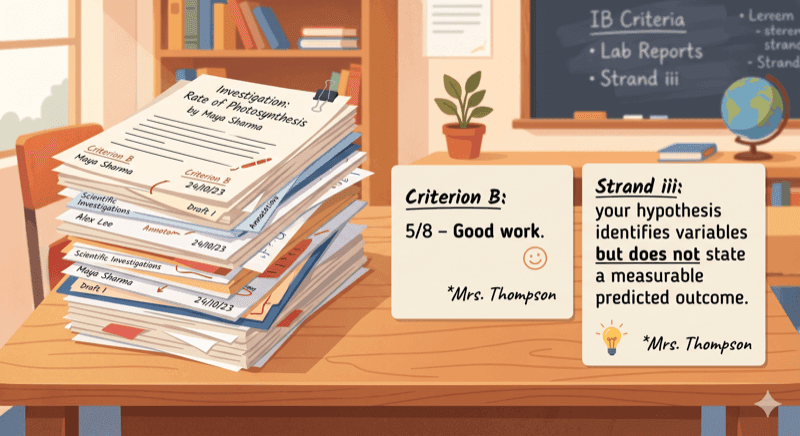
MYP criteria are divided into strands, and strands are where feedback becomes meaningful. Criterion B at score 5 tells a student nothing. "Strand i met, strand ii met, strand iii not met because your hypothesis doesn't include a measurable predicted outcome" tells them exactly what to fix.
Most feedback tools, including AI-powered ones, operate at the criterion level. They ask you to enter a score and generate a paragraph around it. The output is polished prose, but it's the same prose for every student at that score. It carries no information about what the student actually did.
Writing strand-level feedback from scratch means re-reading each submission, mapping what you find to each strand descriptor, and translating that into student-facing language. For a class of 25, across four criteria, that's 100 individual strand evaluations per assessment. That's where the hours go.

Four Tabs, Every Feedback Context
The Feedback Writer covers four distinct workflows in one tool.
Assessment tab reads a student's submitted PDF and evaluates it strand by strand against the MYP rubric. Designed for post-submission feedback sessions where you need specific, quotable justification for every score.
Report tab generates a full parent-facing or coordinator-facing report comment for a single student. It pulls from accumulated score history and lets you toggle in ATL skills, task references, and term comparisons.
Report Season tab scales the report comment process to a whole class at once. It produces a review queue, not a document dump, so you approve or edit rather than write from zero.
Quick Comment tab skips the PDF upload entirely. Enter scores using steppers, pick tone and length, and get four lines of criterion-level comment in seconds.
How the Assessment Tab Works
The Assessment tab is where PrepAiro's approach differs most from every other tool on the market. It doesn't ask you to describe what the student did. It reads the submission itself.
Step 1 is student and subject selection. The student roster pre-loads from the Students tab. You select MYP year (1-5) and subject, which determines which criteria and strands apply.
Step 2 is the PDF upload. Submissions up to 20MB are accepted. Once uploaded, the AI reads the document and evaluates it criterion by criterion against the MYP rubric. For each criterion, it returns a suggested band score, strand-level justification for that score, and direct quotes pulled from the student's text.
The justification isn't generated from the score. The score is generated from what the AI found in the document. You can see exactly which sentences or paragraphs informed each strand evaluation. You review the suggested scores, adjust any you disagree with, and confirm.
Step 3 generates the student-facing feedback. You choose tone (Encouraging, Balanced, or Direct) and length. The output is a set of per-criterion feedback cards, each with a copy button. Confirmed scores write automatically to the student's criterion history in the Students tab. No separate data entry step.

What Makes Report Season Different?
A full class of 25 MYP students produces 25 individual report comments per subject per term. Writing each one from scratch, with criterion references and ATL language, takes 5 to 15 minutes per student. That's a minimum of 2 hours per subject per term, and often a full week.
Report Season compresses that into a review queue. You select the whole class from a dropdown, choose the subject and reporting period, and the tool generates all comments simultaneously. It draws on each student's criterion score history accumulated from the Assessment tab, so it already knows their score trends, how they compare to last term, and which criteria were active for this reporting period.
The output is a queue: each row shows the student name, a criterion summary panel with their scores, and the generated comment. You click Edit or Approve for each. Editing opens an inline text field without leaving the queue. Approving marks it done and moves to the next.
Teachers who've used it report 1 to 2 hours for a full class, compared to a full week of individual writing sessions. The shift isn't just speed. Reviewing and refining is a fundamentally different cognitive task from generating from nothing.
How Does PrepAiro Compare to Other IB Feedback Tools?
Generic AI tools generate feedback from a score you provide. They have no curriculum structure, no strand awareness, and no access to what the student actually wrote. Two students at the same score get the same comment.
Tools with partial IB awareness, like SchoolReportAI, recognize criterion names but still operate at the criterion level. They don't read submissions and don't generate batch comments for a full class.
| Tool | Reads student submission | Strand-level output | IB curriculum structure | Batch class generation |
|---|---|---|---|---|
| PrepAiro | Yes | Yes | Yes | Yes |
| SchoolReportAI | No | No | Partial | No |
| IB Genie | No | No | Surface-level | No |
| MagicSchool | No | No | No | No |
| ChatGPT | No | No | No | No |
How Score Continuity Works Across Tabs
When you confirm scores in the Assessment tab, they write to that student's criterion history in the Students tab automatically. No export, no copy-paste, no manual update.
When you open the Report tab for that student later, the score history is already there. The Report Season tab draws on the same data for every student in the class. One workflow feeds the next.
The Students tab also has a "Write Feedback" button on each student's record. Clicking it opens the Feedback Writer with that student already selected.
Frequently Asked Questions
What if I disagree with the AI's suggested band score?
You can override any score in Step 2 before generating feedback. Your override is what writes to the student's history, not the AI's original suggestion. The strand justification remains visible so you can use it as a reference even when you change the score.
Does the Feedback Writer work for all MYP subjects?
It works across all standard MYP subjects. Subject selection in Step 1 determines which criteria and strands load. Inactive criteria for a given subject are automatically greyed out in the Report tab steppers.
What happens to the student's PDF after upload?
The PDF is processed to extract text for evaluation and is not stored permanently on PrepAiro's servers after the session. It's used solely to generate the strand-level evaluation in Step 2.
Can I use the Quick Comment tab without uploading a PDF?
Yes. The Quick Comment tab is entirely score-based. You enter criterion scores using steppers (default 4), choose tone and length, and get four lines of criterion-level comment.
How does Report Season handle students with incomplete score histories?
If a student has fewer confirmed scores on record, the generated comment reflects the data available. Criteria with no recorded scores are omitted rather than filled with placeholder language. You can add context in the inline edit field before approving.
Ready to Cut Your Report Season in Half?
PrepAiro's Feedback Writer keeps the specificity and removes the starting-from-zero part. The Assessment tab reads the work. The Report Season tab scales the output. The score history connects both.
If report season is a wall you hit every term, the tool is built for exactly that.